
Before adding the legal pages link in the footer, remember to regenerate the legal pages.
From your WordPress dashboard, navigate to Legal Pages > Settings > Compliance.
Enable the toggle ON.
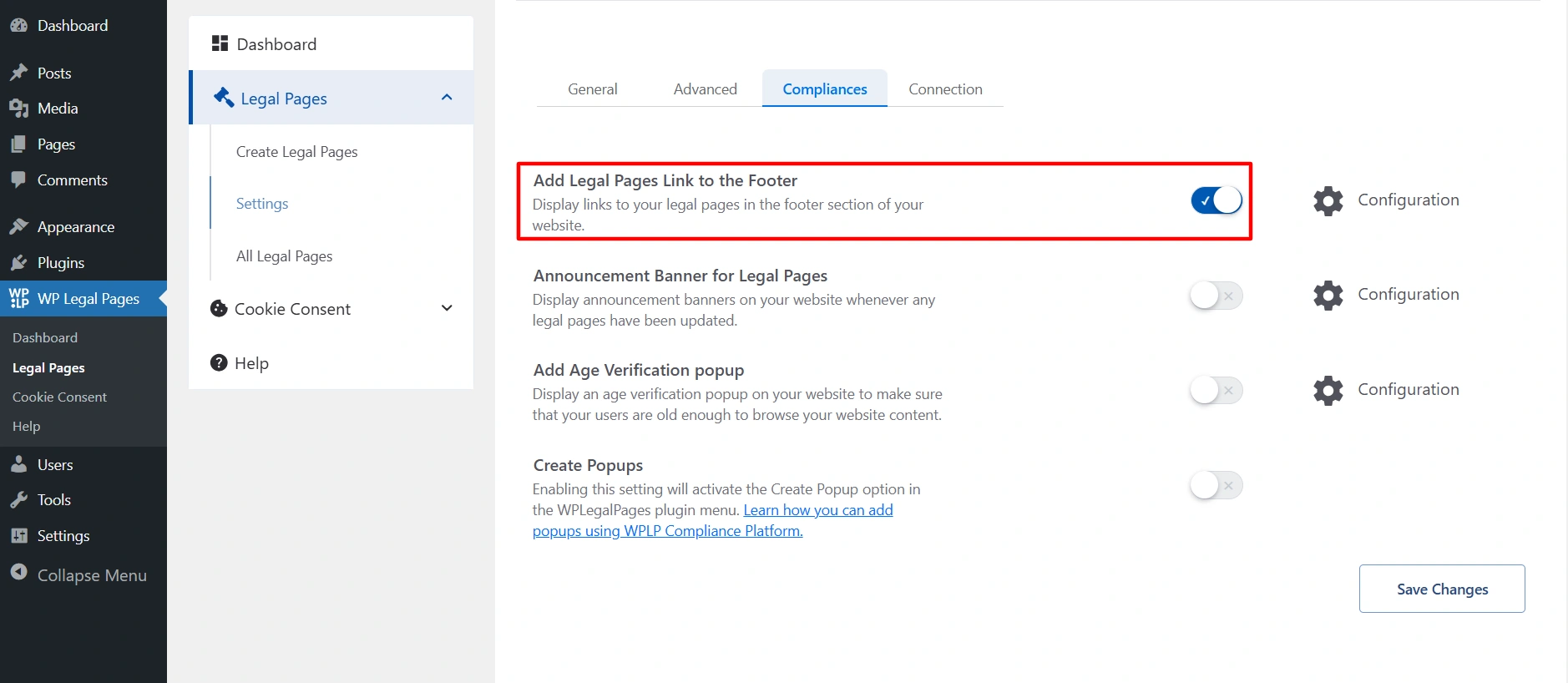
From the configuration tab, select the legal page that you want to show in the footer.
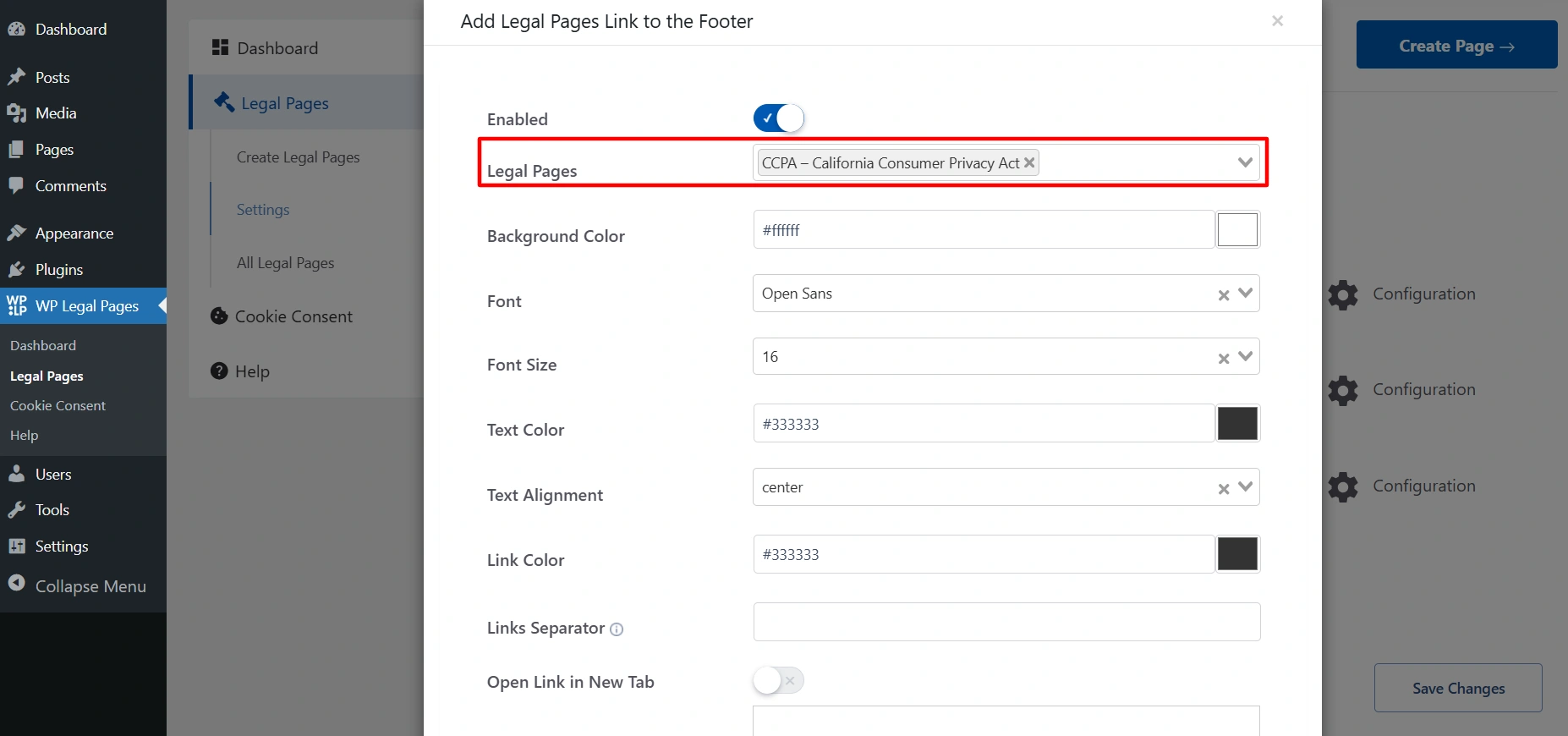
This is what it will look like on your site.
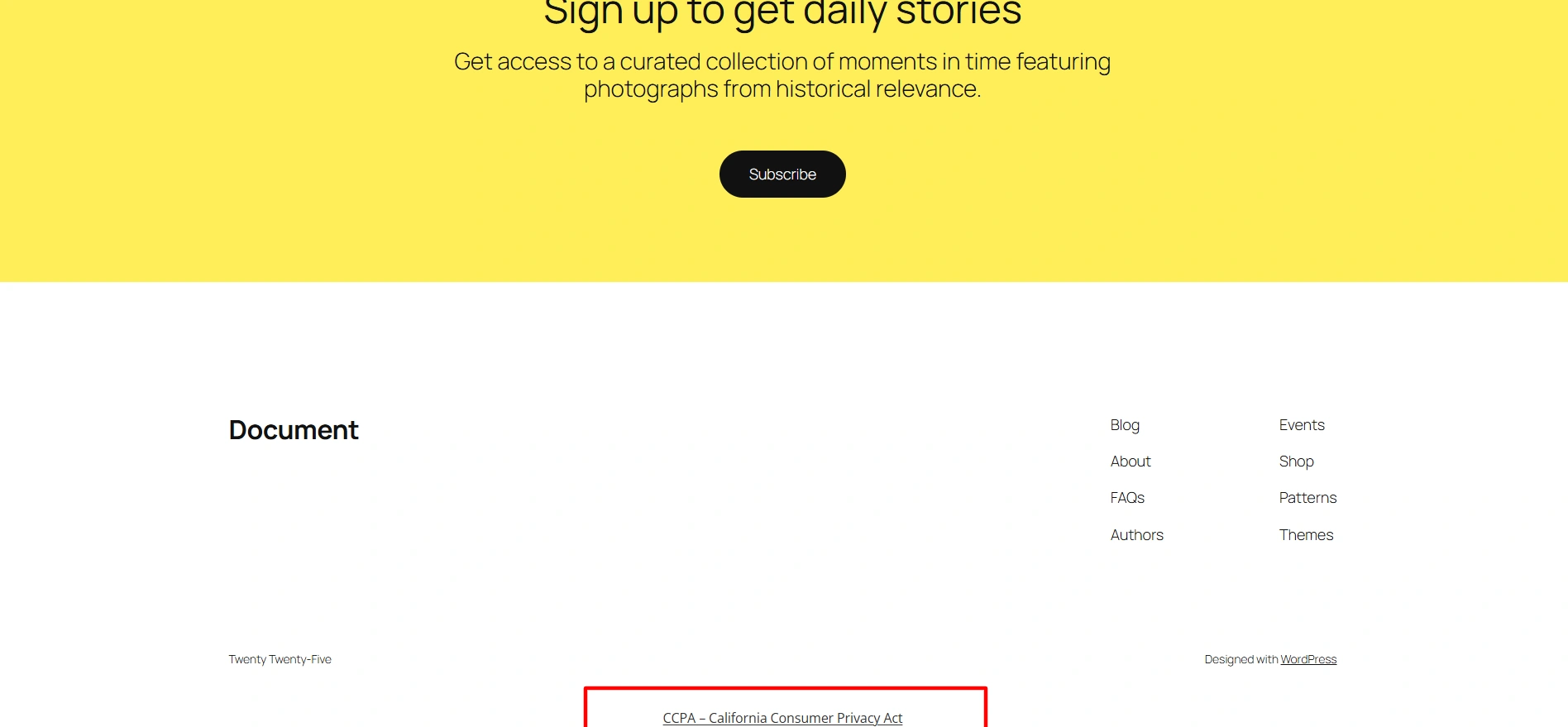
Legal Page Footer Settings #
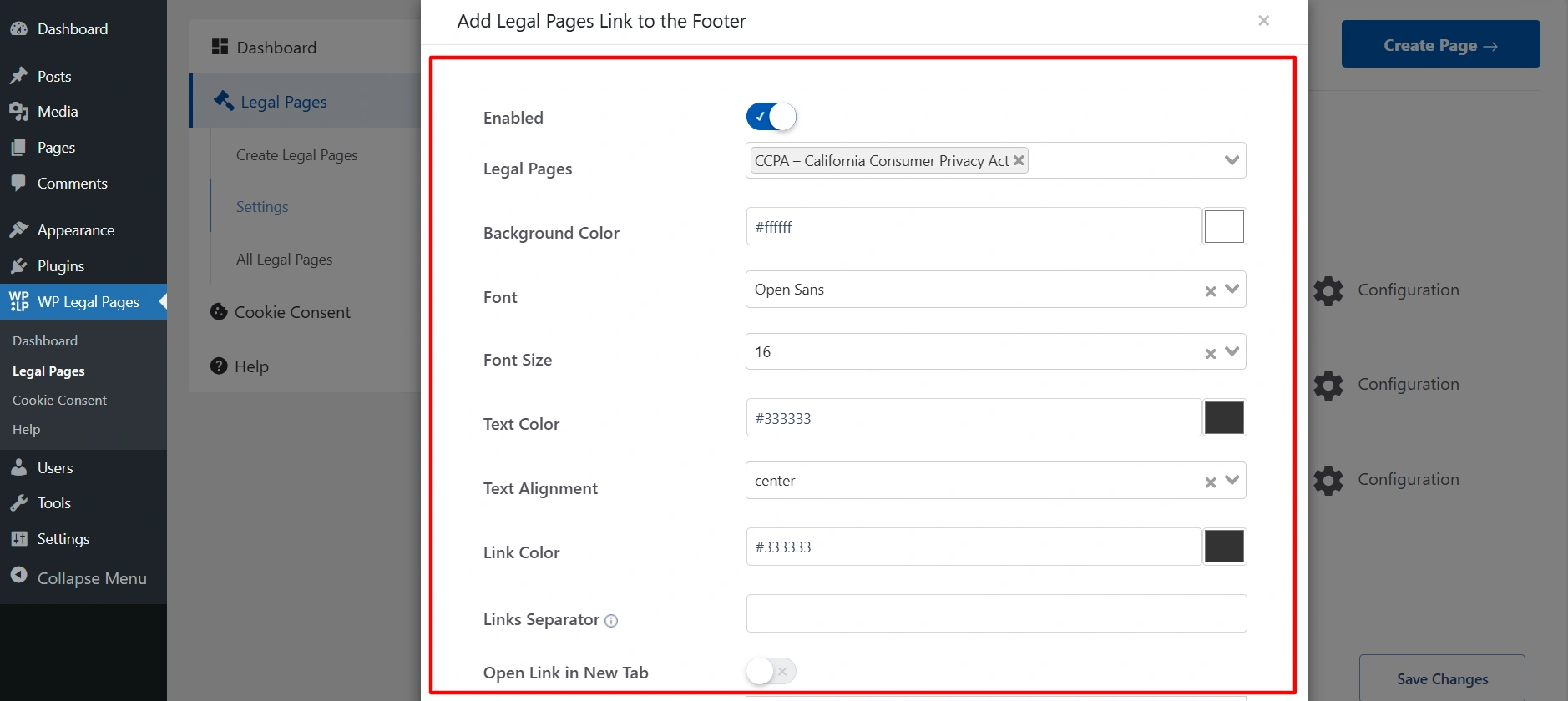
- Enabled: Toggle this ON to display legal page links in your site’s footer.
- Legal Pages: Choose which legal pages (Privacy Policy, Terms & Conditions, etc.) you want to show in the footer.
- Background Color: Set the background color for the footer area where the legal links will appear.
- Font: Select the font style for the legal page links.
- Font Size: Define the size of the text for the legal links (e.g., 14px, 16px).
- Text Color: Choose the color of the text for legal page titles/links.
- Text Alignment: Set how the links should appear: left, center, or right aligned.
- Link Color: Pick the color specifically for clickable links (different from normal text color if you want).
- Links Separator: Add a symbol or character (like “|” or “/”) to separate multiple legal page links.
Example: Privacy Policy | Terms & Conditions | Cookie Policy
- Open Link in New Tab: Enable this if you want the legal page links to open in a new browser tab instead of replacing the current page.
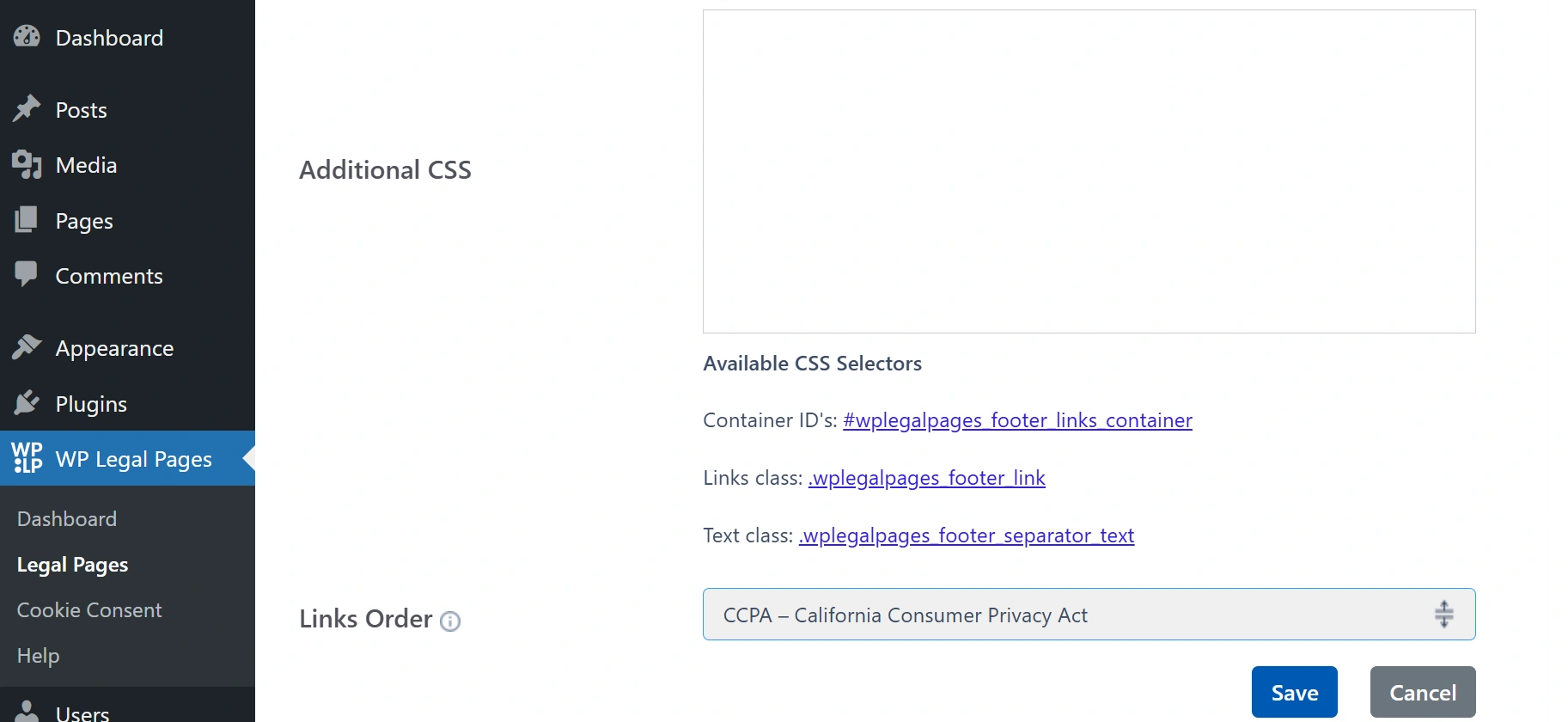
- Additional CSS: In this box, you can add your own custom CSS to style the legal page links according to your site’s design. For convenience, the container ID, link class, and text class are provided, so you can easily target and customize them.
- Link order: You can arrange the order of your policy pages.
- Save: All making all the changes. Click on Save.


