
Overview #
The A/B testing feature in WP Cookie Consent allows users to compare the performance of two cookie banners. This feature is designed to help you identify which banner design, wording, or placement is more effective in gaining user consent, improving compliance, and enhancing user experience.
Key Benefits: #
- Data-Driven Decisions: Optimize your cookie banner based on real user interactions.
- Improved Compliance: Ensure higher consent rates by testing different approaches.
- Enhanced User Experience: Identify which design resonates best with your audience.
How to Set Up A/B Testing
Follow these steps to test different variations and identify the most effective banners that enhance user experience and comply with privacy regulations.
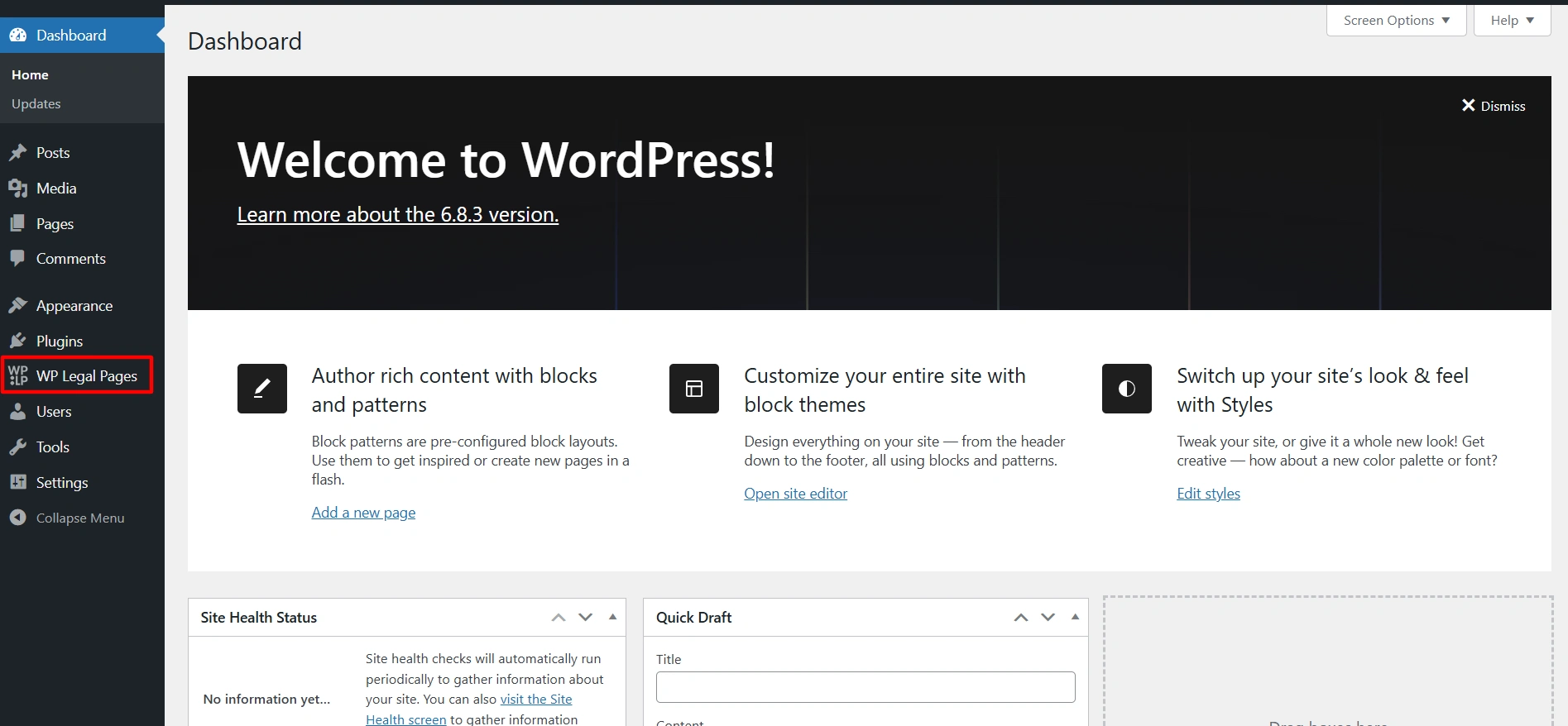
- From your WordPress dashboard, navigate to WP Legal pages > Cookie Consent.
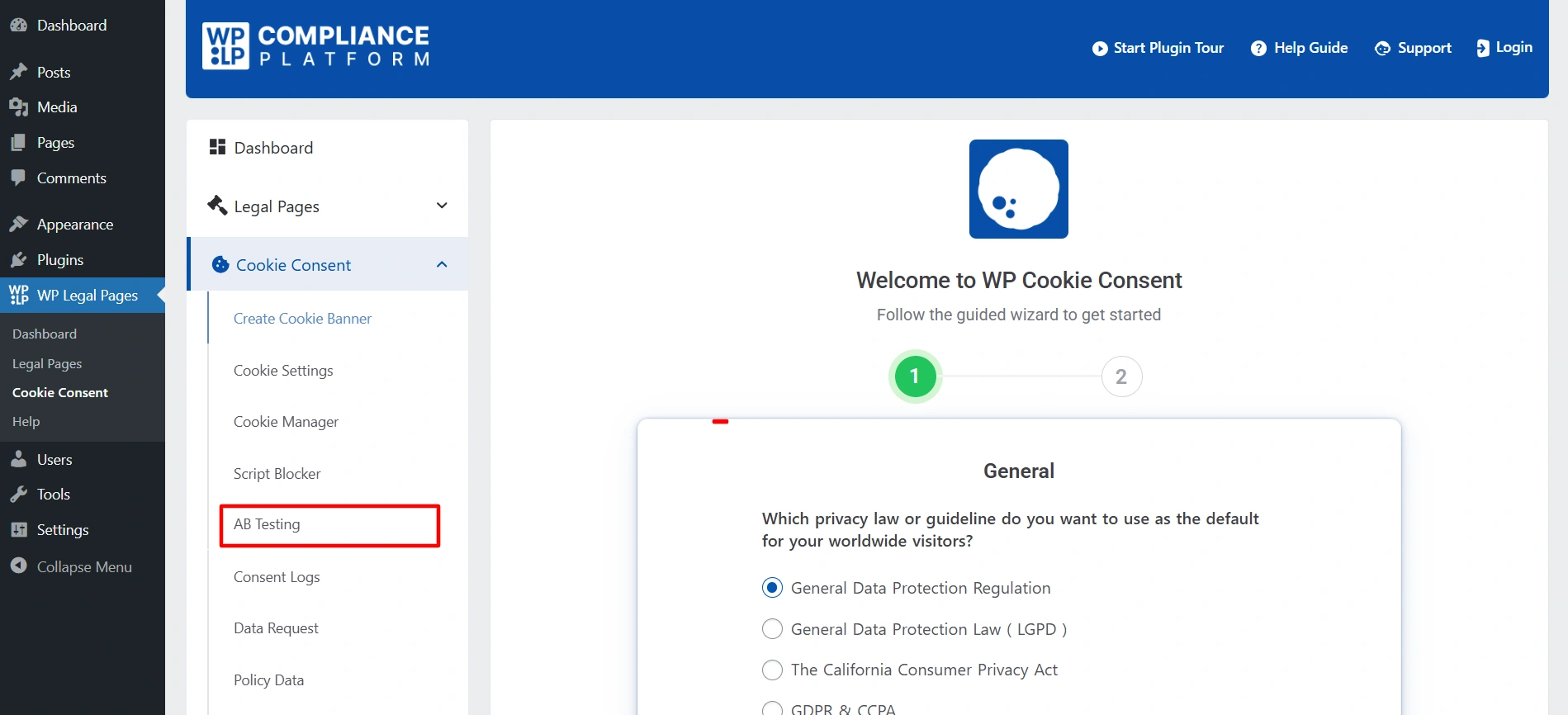
- Once you are in cookie consent, click on AB Testing.
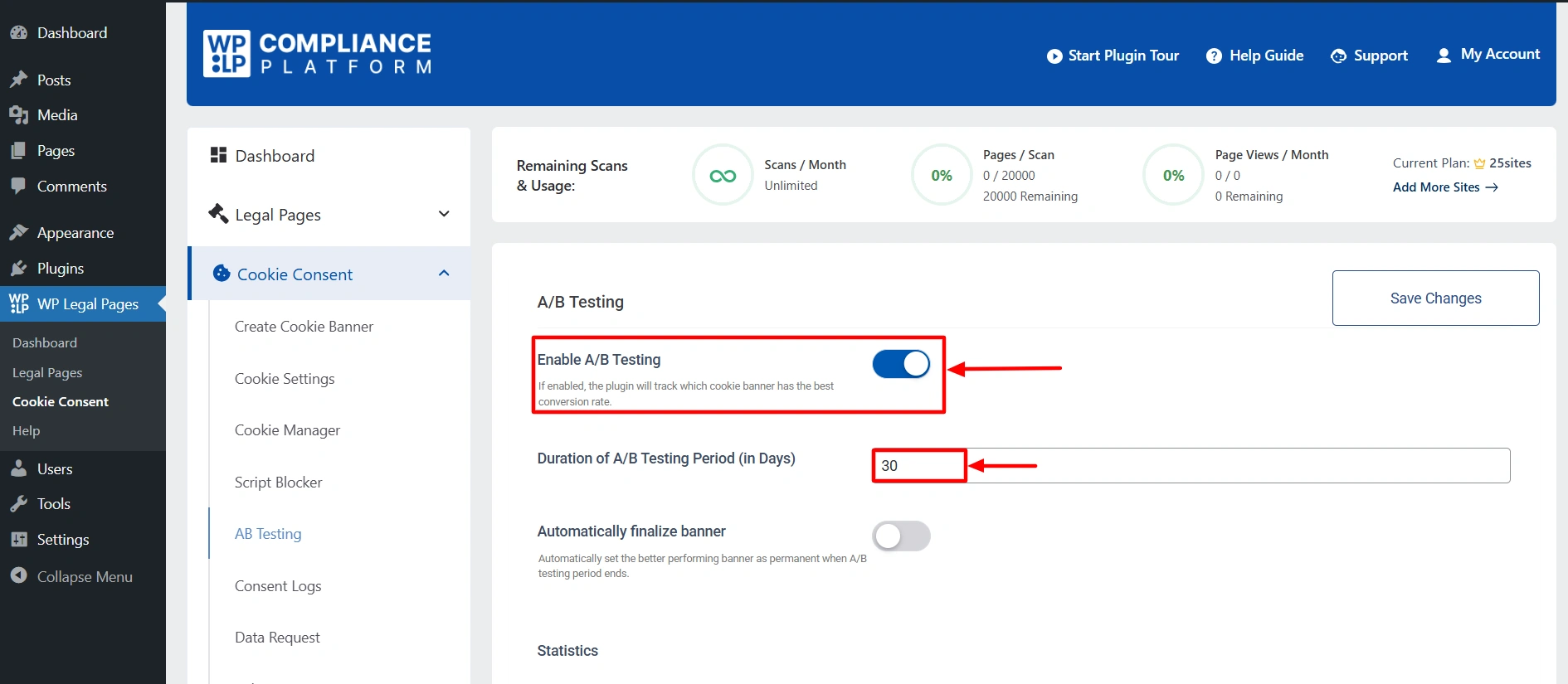
- Now, Enable the A/B Testing toggle button and set the duration for the A/B test. Once done, click on Save Changes.
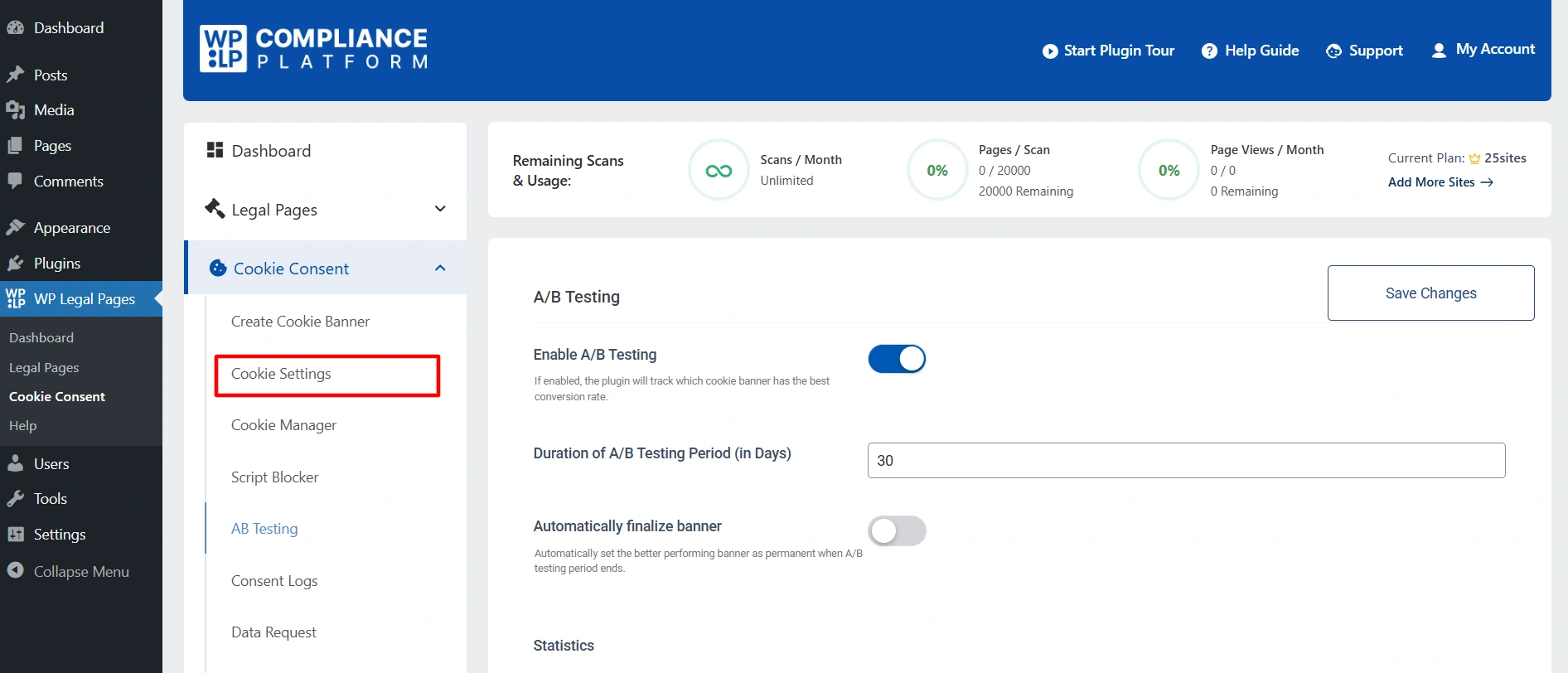
- Now, click on the Cookie Settings tab.
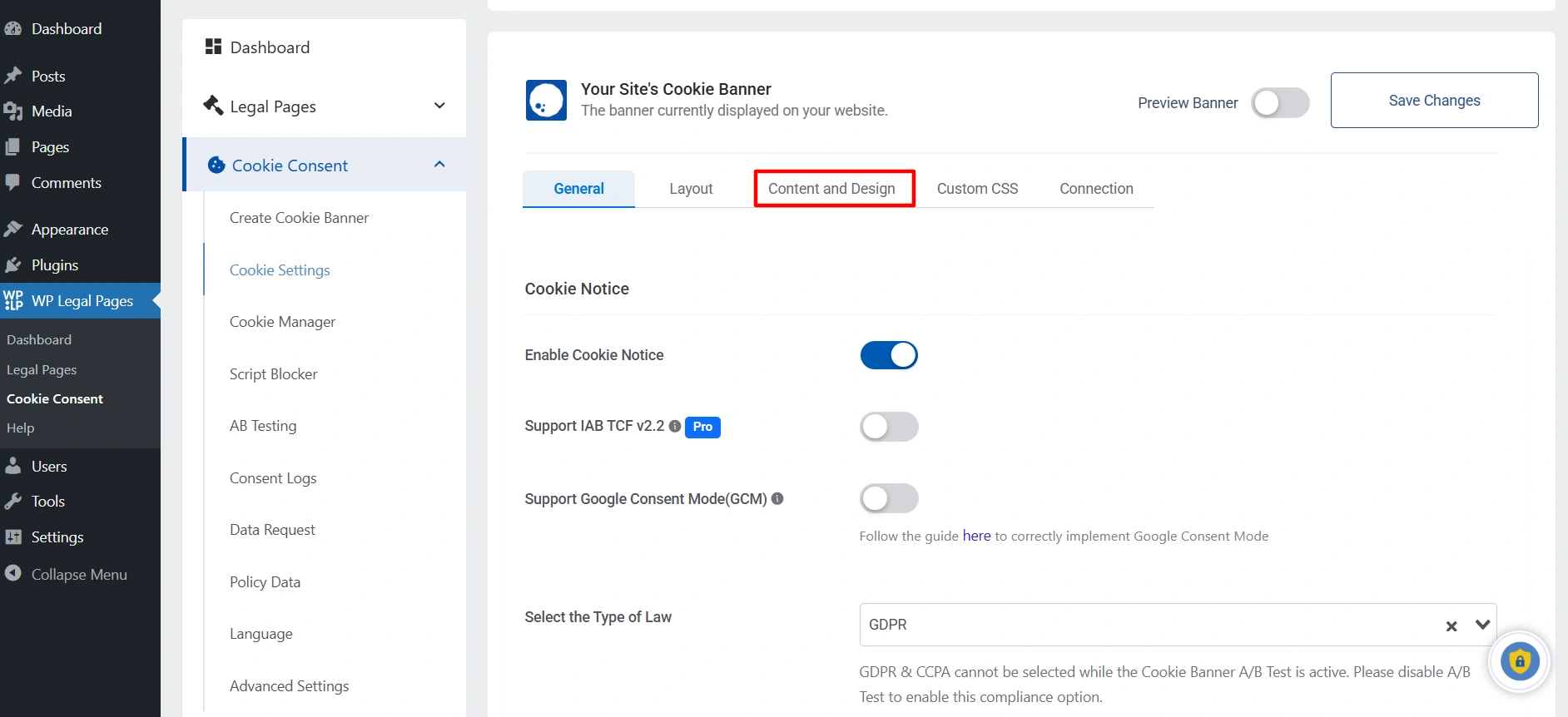
- From there, navigate to the Content and Design tab.
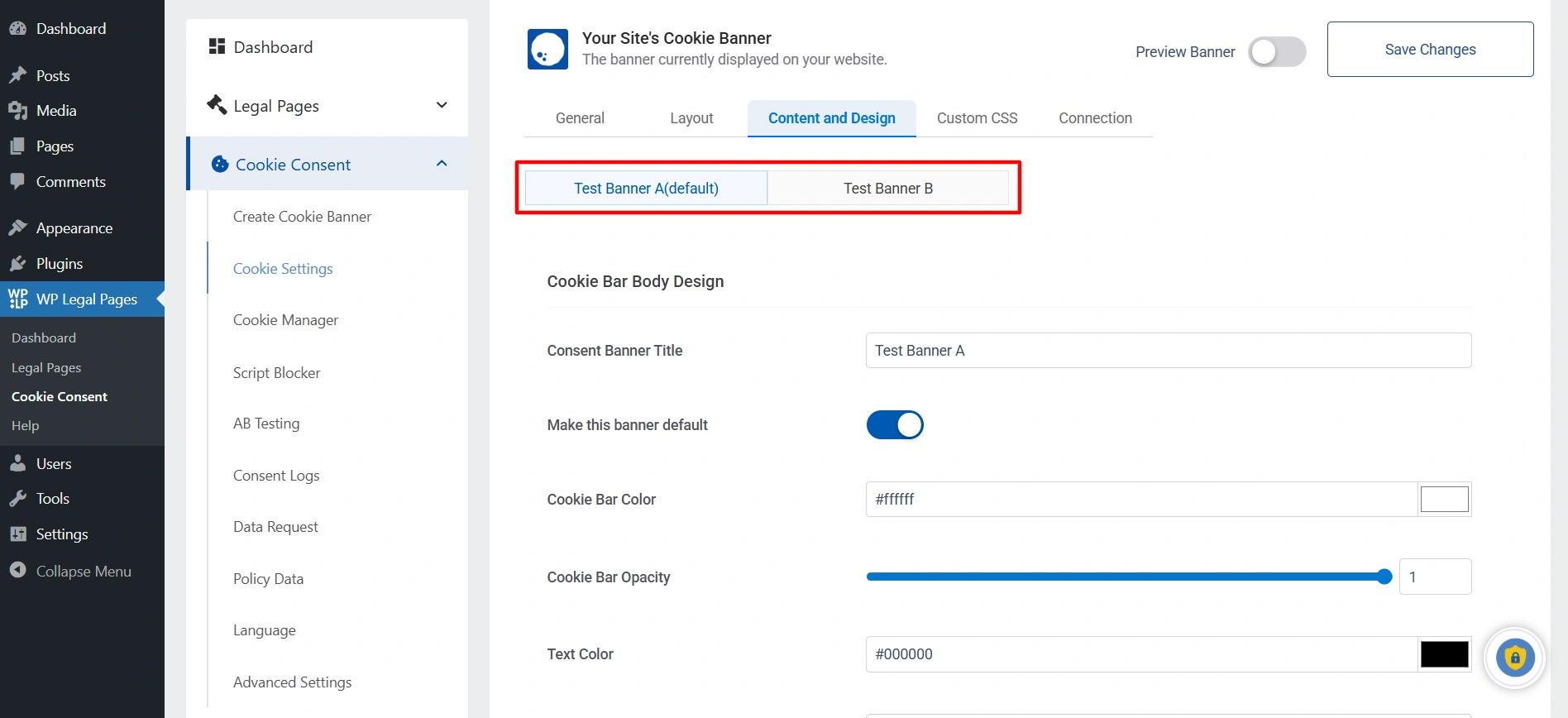
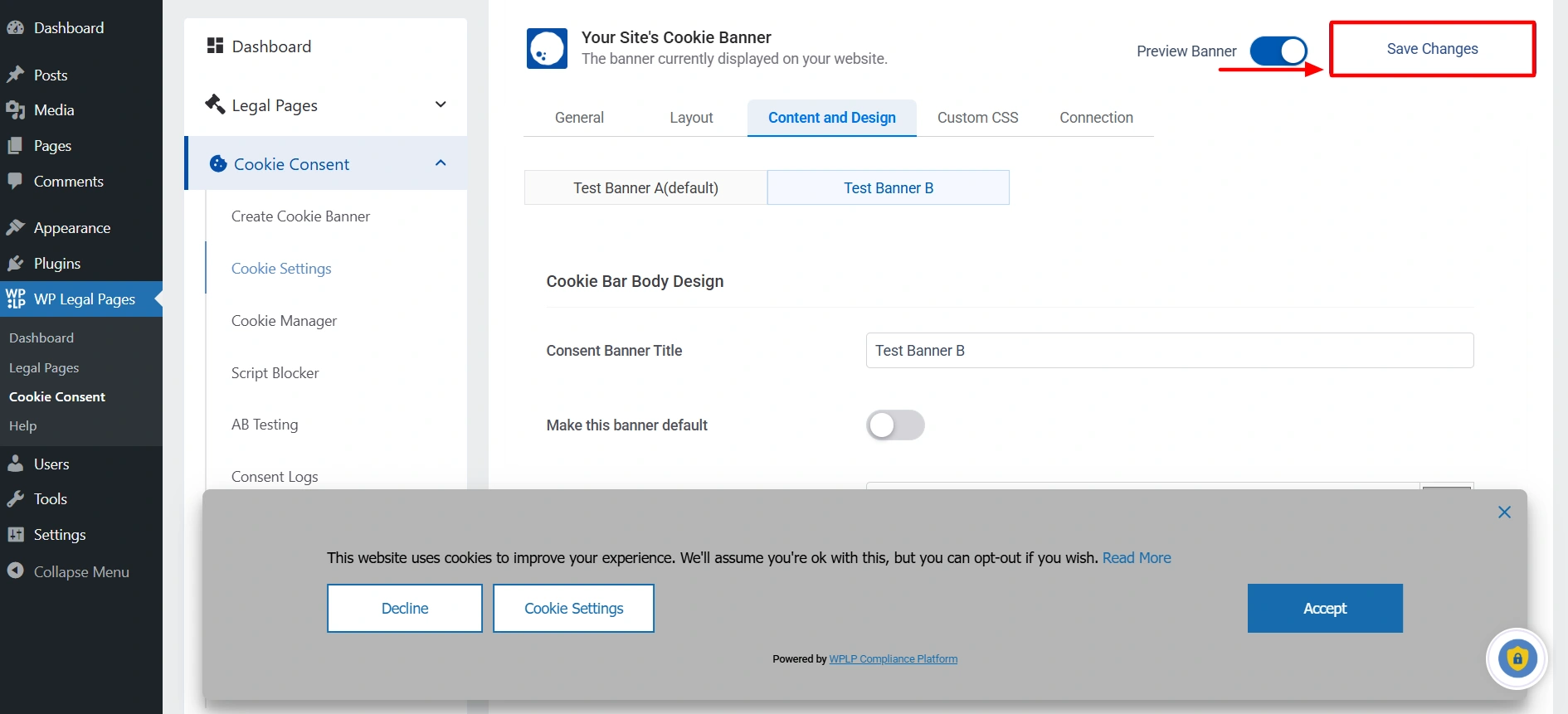
- For A/B testing, customize two banners in Test Banner A and Test Banner B as needed.
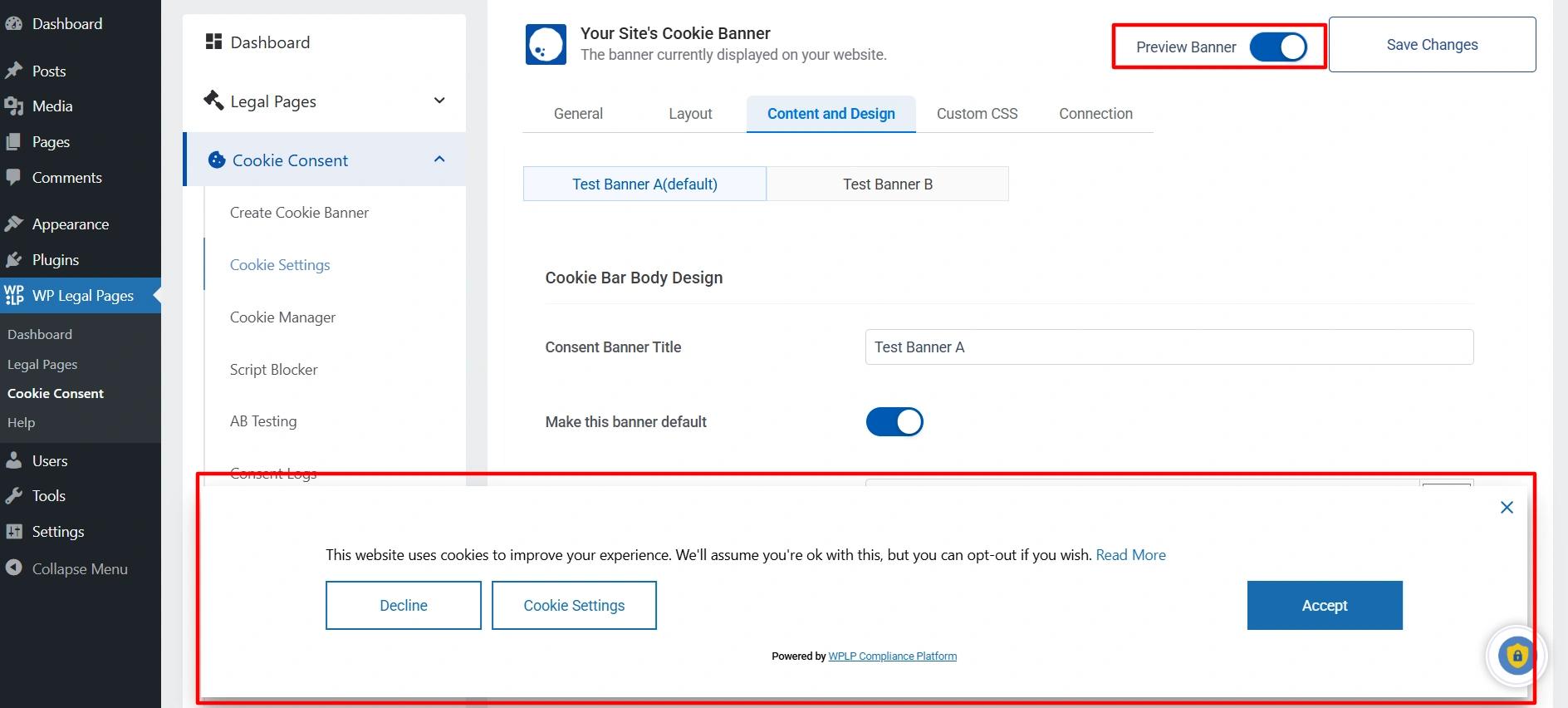
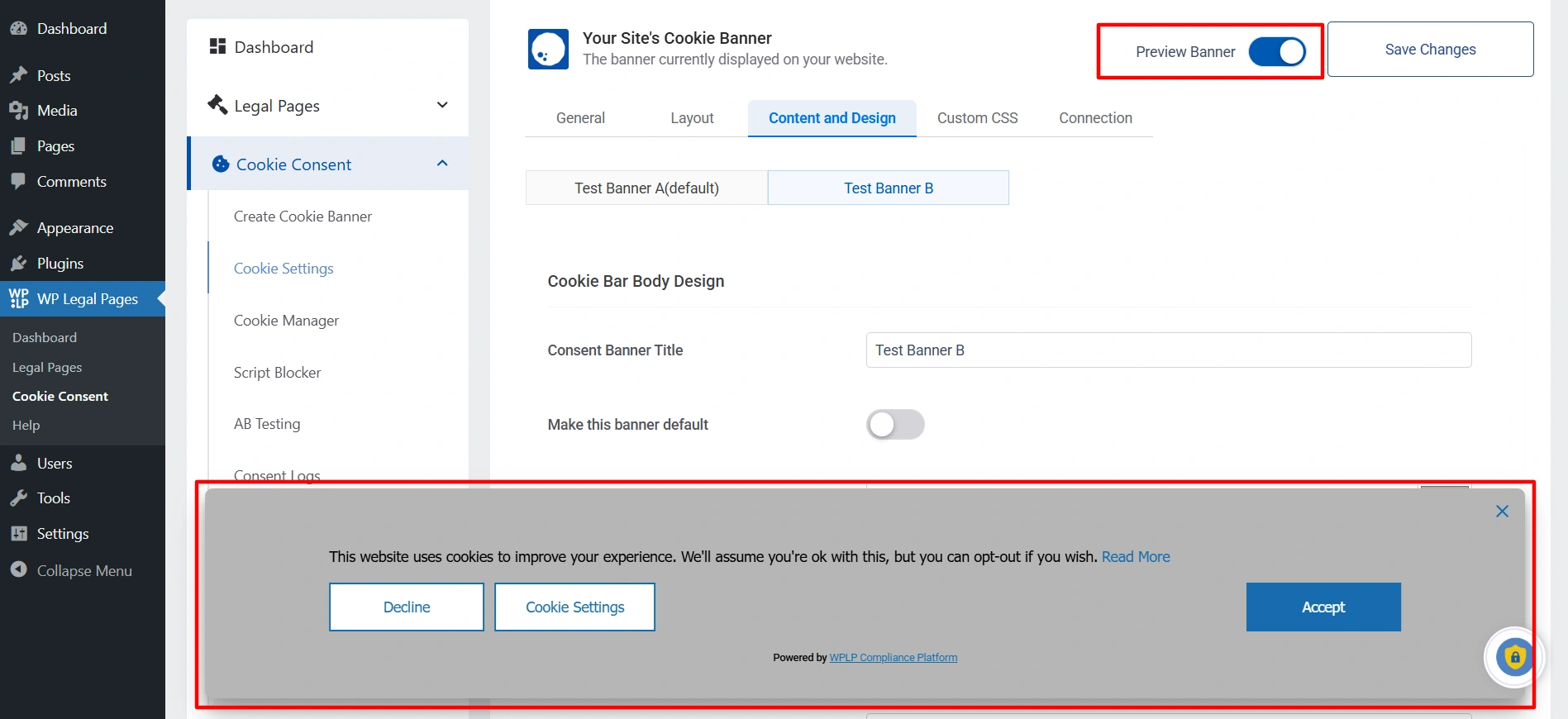
- To check how the banners will look to users, click the Preview Banner toggle button and switch between Test Banner A and Test Banner B.
Test Banner A
Test Banner B
- Once you have finalized both banners, click on Save Changes.
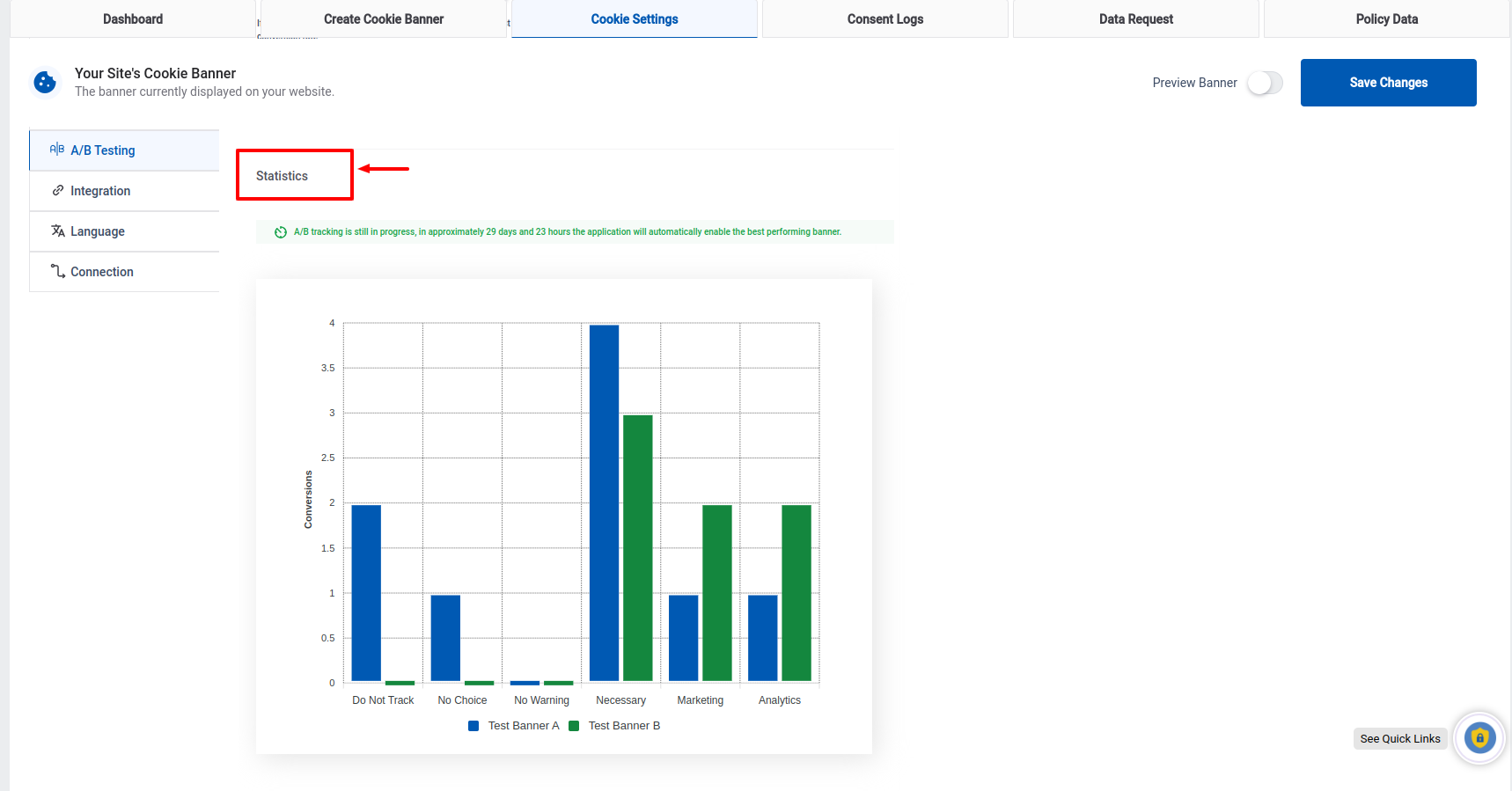
- You can check the performance of the 2 banners in the A/B Testing Tab under the Statistics section.
- Once the A/B testing period ends, based on the statistics of Test Banner A and Test Banner B, the banner that has performed well will automatically be selected as the final cookie banner for users. If you prefer, you can manually choose either banner as the default under the Design tab.
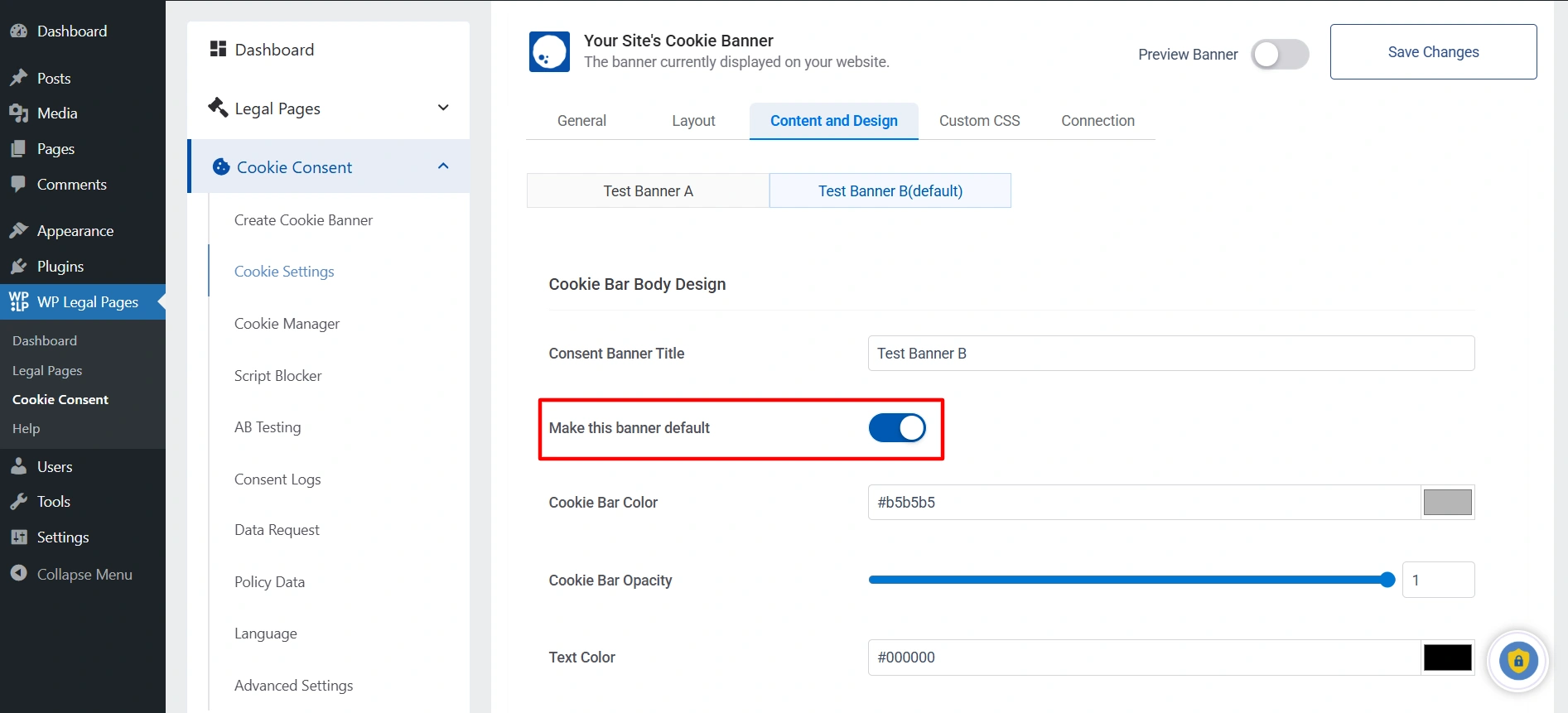
Note: The toggle will automatically be switched off until you switch it on to test again.
Best Practices for A/B Testing Cookie Banners #
- Test One Variable at a Time:
Focus on a single element (e.g., wording or button color) to understand its impact clearly. - Run the Test for an Appropriate Duration:
Ensure you have enough data before concluding the test. - Analyze User Behavior:
Use the insights gained to refine your cookie compliance strategy.
The A/B testing feature in WP Cookie Consent empowers you to optimize your cookie banners based on real user data, ensuring higher consent rates and better compliance. You can make informed decisions that enhance user experience and regulatory adherence by testing different variations and analyzing the results.
Implement this feature to improve your website’s cookie management strategy continuously.


