WPLP Compliance Platform logo
Login
Get Started

Overview

3
  • Getting Started
  • Setup & Configuration
  • Platform Overview

Features Walkthrough

3
  •  Cookie Consent
  • Legal pages
  • Dashboard

Guides

17
  • What is the Right to Access?
  • What is the Right to be Forgotten
  • How To Schedule Automatic Cookie Scan
  • A/B Testing Feature
  • Implementing Google Consent V2 Mode using WPLP Compliance Platform
  • Google Consent Mode Troubleshooting with WPLP Compliance Platform
  • How to Verify if Google Consent Mode is Properly Implemented
  • Right to Data Portability Explained – What It Means & How to Comply
  • How to use Script Blocker
  • Respect Do Not Track & Global Privacy Control
  • How to show Third-Party Policy Data on Your Website
  • How to Enable DSAR
  • How to create an Affiliate Disclosure Page
  • How to show the WPLP Block in Gutenberg.
  • How to Make an Announcement Banner for Legal Pages
  • How to Show Age Verification Pop-up on The Website
  • How to add Legal Page in Footer

Troubleshooting & Support

1
  • Common Issues & Solutions
View Categories
  • Home
  • Docs
  • WPLP Documentation
  • Guides
  • How to show Third-Party Policy Data on Your Website

How to show Third-Party Policy Data on Your Website

Follow these steps to show Policy Data.

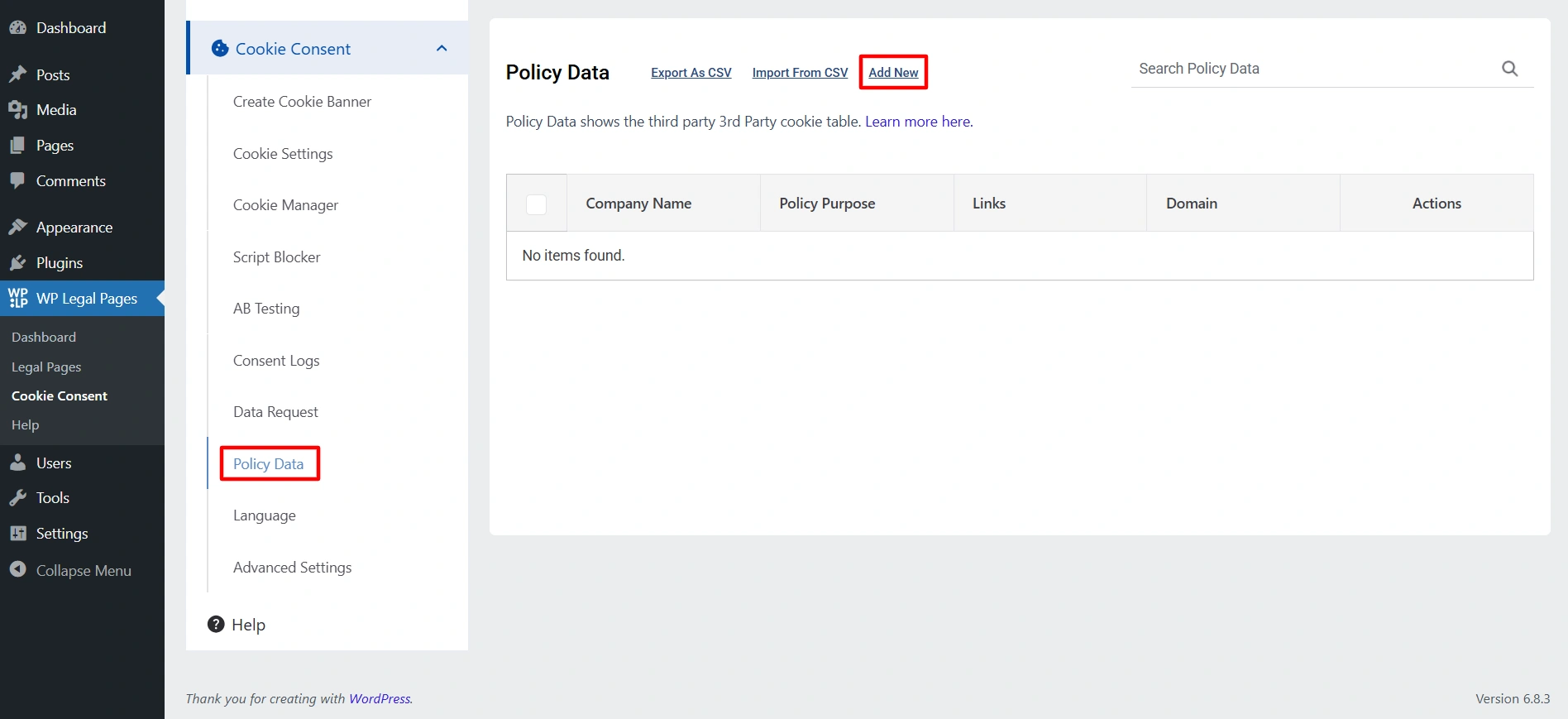
  1. Navigate to your WordPress dashboard, and click on Cookie Banner > Policy Data.
  2. Click on the Add New option.
Policy data add new option
  1. Enter the name. You can even provide the information on what data they collect, enter their domain name, and link. 
  2. Once you are done, click on publish. 
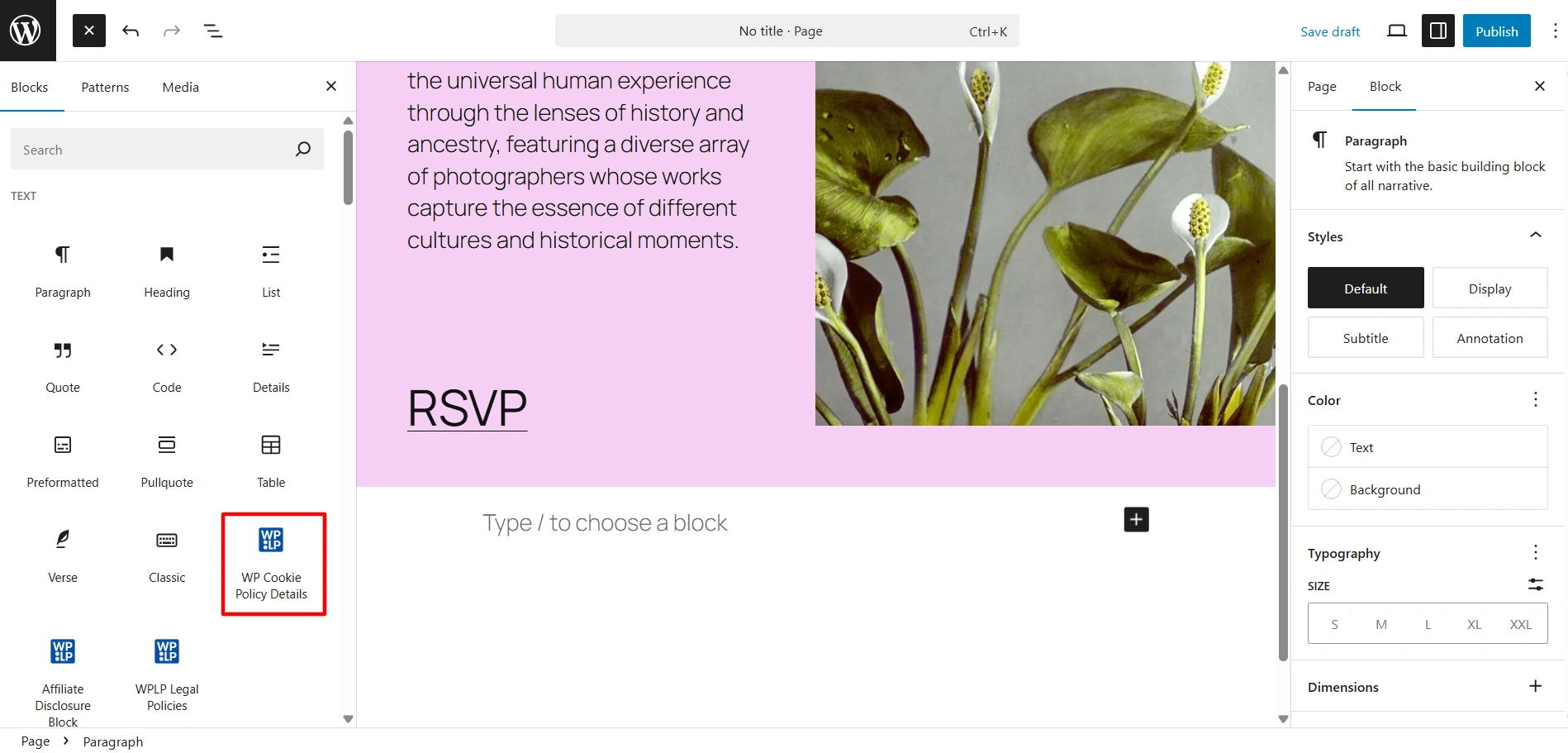
  3. Next, create a new page. Click on the block icon and search for WP Cookie Policy Details.
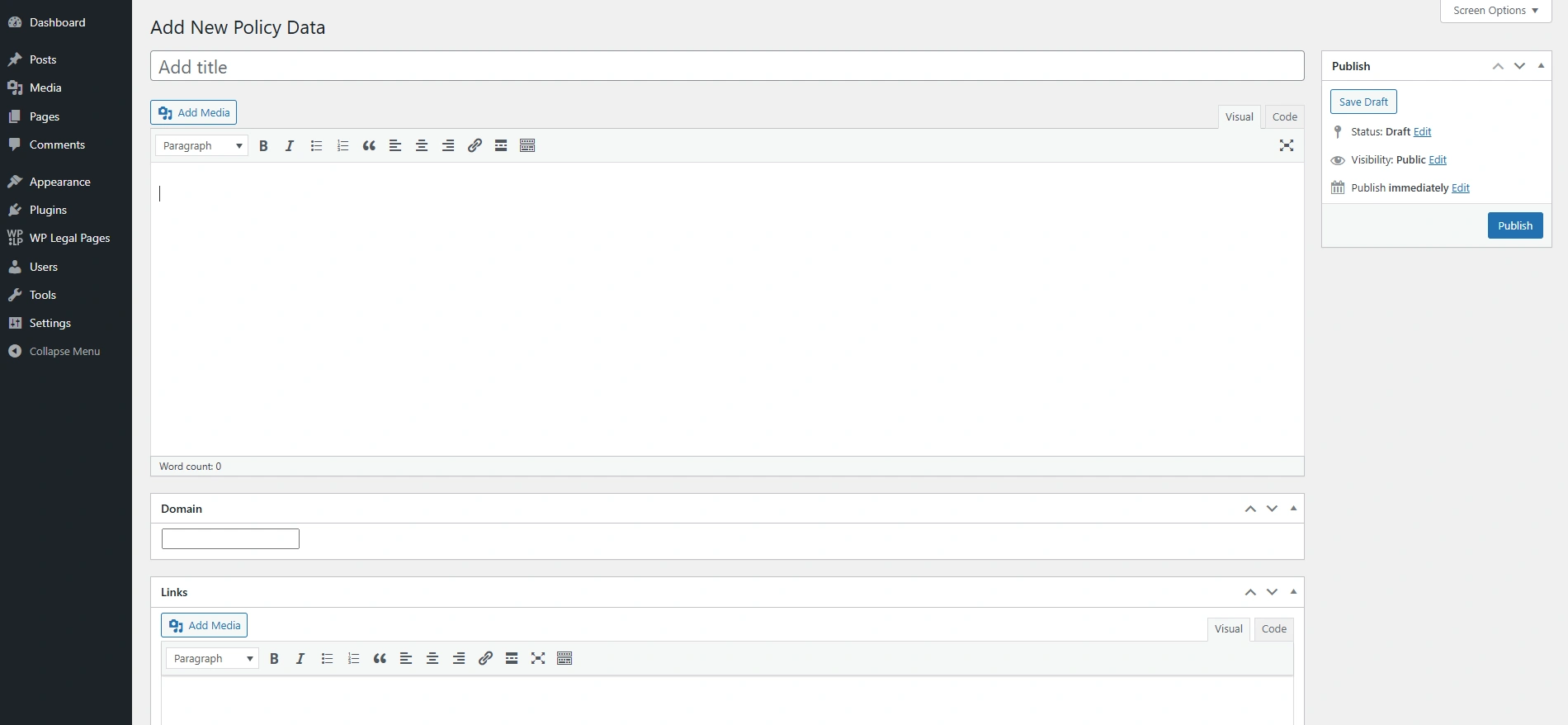
Add new available customization
  1. Drag and drop the block on the page. 
WP Cookie Policy block
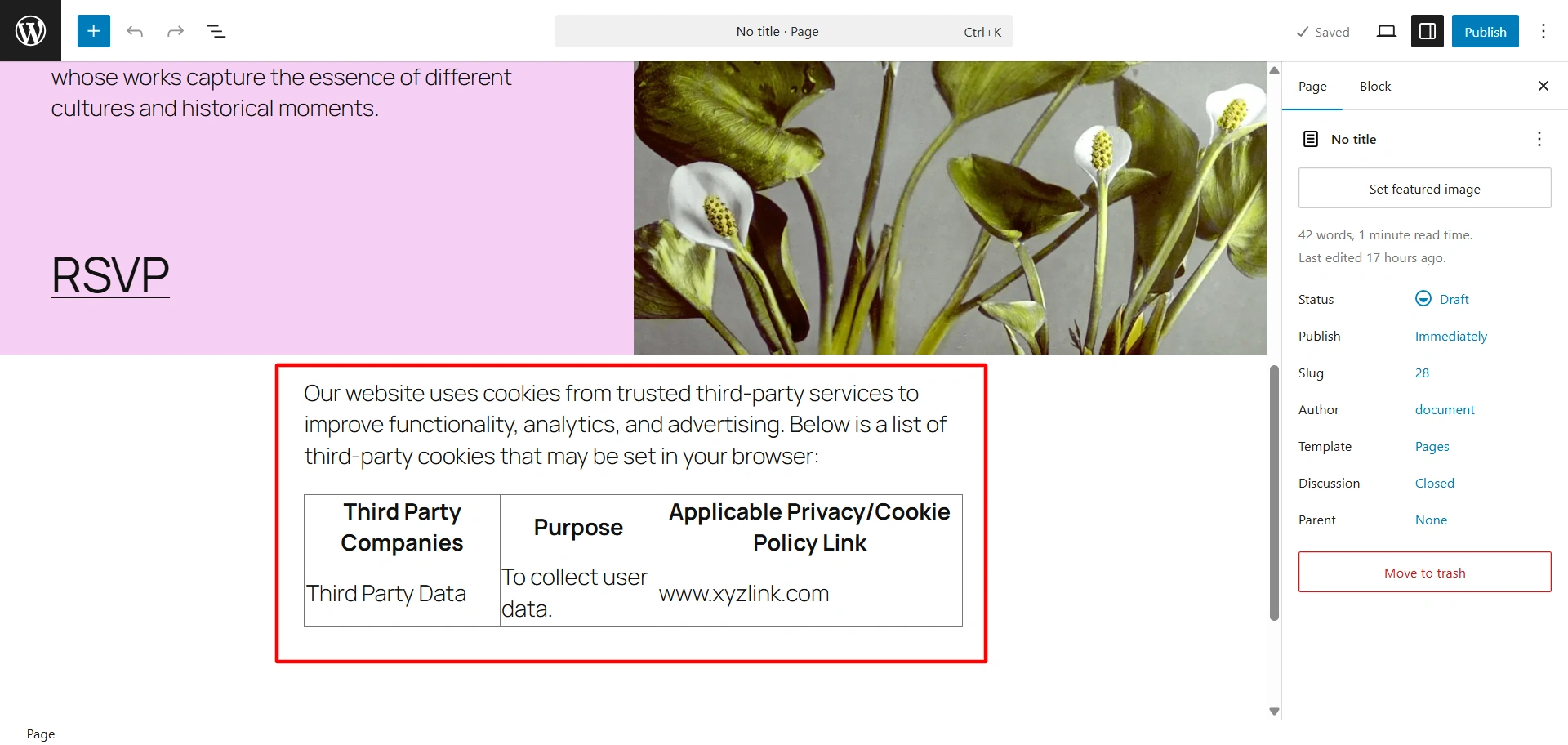
  1. Click on publish. 
Third-party Cookie Policy Data on website
Updated on November 20, 2025

What are your Feelings

  • Happy
  • Normal
  • Sad

Share This Article :

  • Facebook
  • X
  • LinkedIn
  • Pinterest
Respect Do Not Track & Global Privacy ControlHow to Enable DSAR

Our Products

  • Free WP Legal Pages
  • Free WP Cookie Consent
  • Comparison
  • Responsive Theme
  • Responsive Blocks
  • Responsive Addons For Elementor

Company

  • About Us
  • Blog
  • Affiliate Program
  • Refund Policy
  • Privacy Policy
  • GDPR Privacy Policy
  • GDPR Cookie Policy
  • Terms of Use

Support

  • Documentation
  • Bug Bounty Program
  • Changelog
  • Contact Us
IAB CMP Logo
Google Certified CMP Badge
Visa logo
Mastercard logo
Amex digital logo
Apple pay logo
Apple pay logo - 2
Google pay logo
X-twitter Youtube Instagram
Copyright © 2010-2026 HB Digital Inc